Reducing digital asset search time from hours to seconds
I worked for Pacific Bonsai Museum as a Lead Designer and Project Manager, guiding a team of 2 designers and 2 developers in leading a full redesign of their photo management workflow. Several of my accomplishments included:
01
Design
Owned the design of a batch upload system, focused on reducing repetitive work and improving speed.
02
Leadership
Led a team through 10+ user interviews, shaping 4 system requirements and product decisions
03
XFN Work
Proactively generated ideas with staff and team, creating sprint goals for product roadmap.
95% of Pacific Bonsai Museum's 10,000+ images lack metadata, making them unsearchable. Staff manually open hundreds of files to find usable photos.
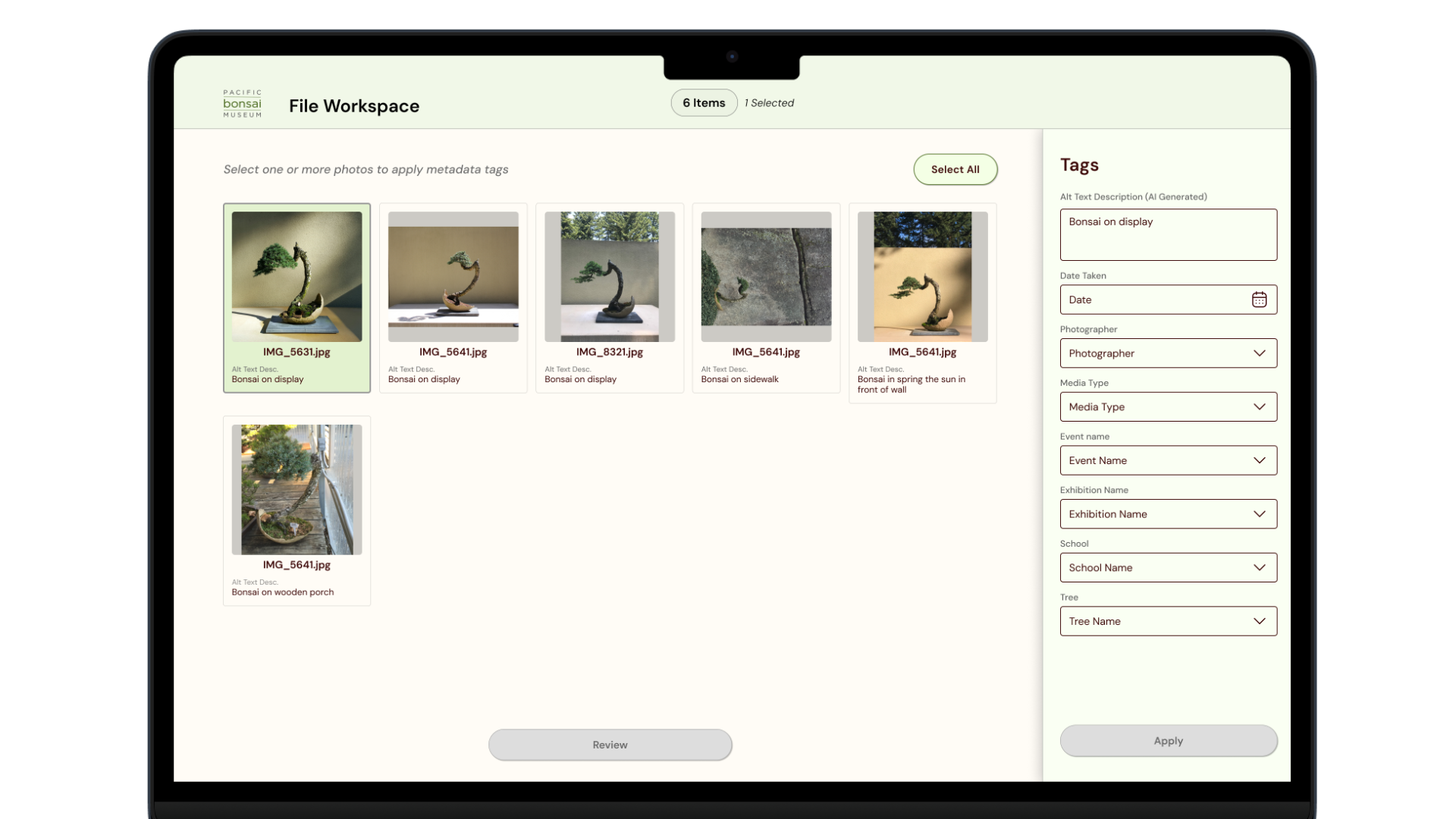
Designed a SharePoint system that enables staff to upload and tag photos in 5 minutes instead of 30, using batch actions + AI-assisted asset descriptions.
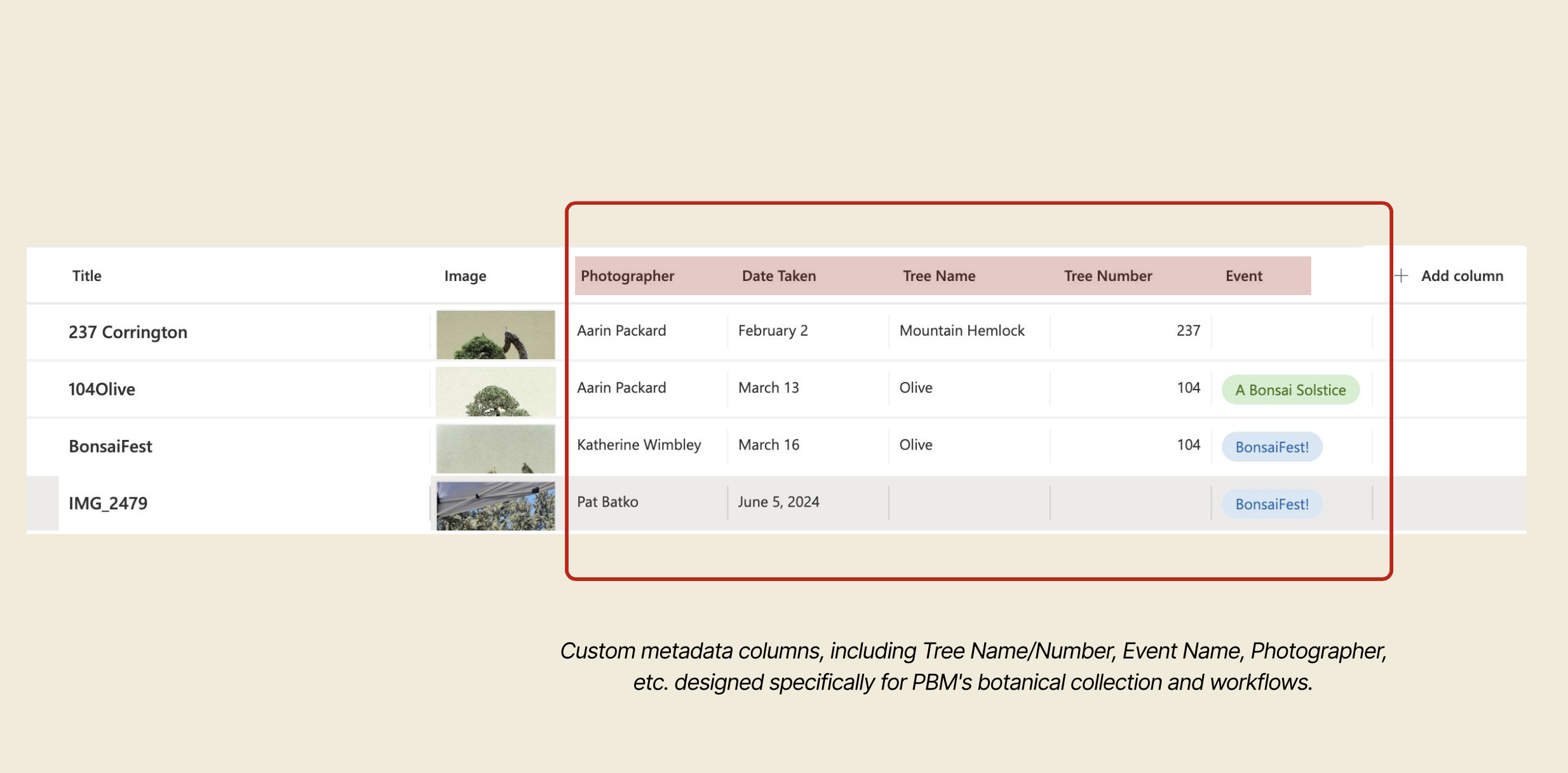
Designed custom metadata fields in SharePoint to ensure consistent tagging and fast photo retrieval.
The system allows users to apply shared metadata, like event, date, and photographer, once across groups of similar photos together, reducing repetitive input and significantly reducing upload time.

Azure AI detects general attributes like season, setting, and content type during upload. Staff review these suggestions and add specific tree identifications, balancing efficiency with domain accuracy.

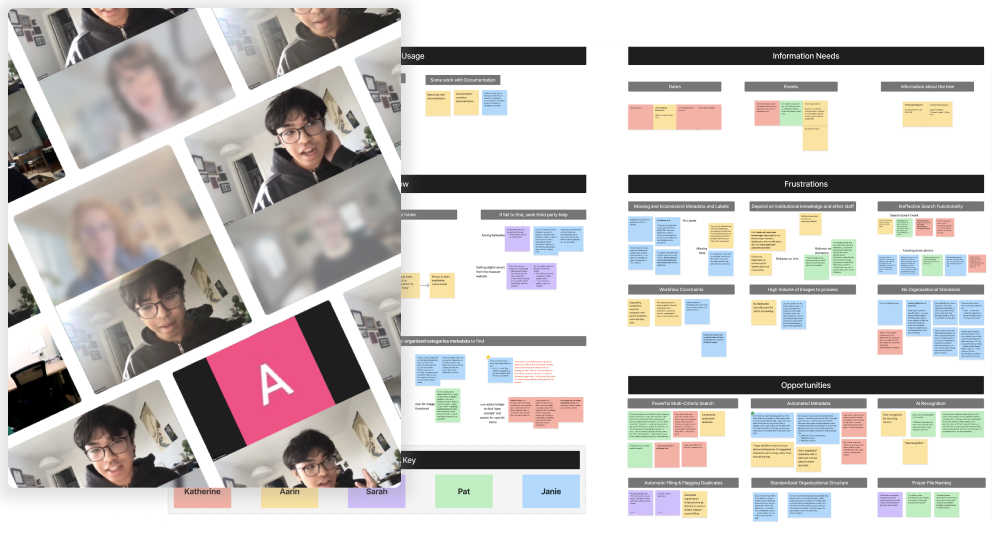
We spoke with 5 museum staff members, including the curator, communications manager, and education coordinator, to understand their daily photo management workflows. Through these conversations, we uncovered:
Ineffective search forces staff to open 100+ files manually
SharePoint search returns no results, even for words that exist in files. Staff have abandoned search entirely and manually browse folders, opening files one-by-one.
Manual upload and no governance standards
"I don't know which folder to use or what information to add, so I just dump the photos and move on."
Missing metadata makes photos effectively invisible
95% of files have "zero labels beyond generic camera names" like IMG2847.JPG. No tree identification, no event context, no searchable information.
After understanding PBM's problems, we researched how small museums successfully manage digital assets to inform our design strategy. we found:
Museums need both factual metadata and contextual information (cultural significance, seasonal characteristics)
Without metadata, assets cannot be meaningfully searched, and findability depends entirely on descriptive information
Successful asset management requires workflow standards and governance policies
Small museums succeed by enhancing existing platforms rather than purchasing expensive enterprise systems
Our research revealed three interconnected problems: unsearchable archive, inefficient upload workflow, and knowledge dependency. We synthesized these into a single design challenge:
How might we help Pacific Bonsai Museum staff organize, find, and contextualize thousands of digital assets so that they can respond to time-sensitive requests and and preserve decades of collection history?
Our team brainstormed 10 different concepts addressing the training challenges. Using a prioritization matrix that considered research findings, technical constraints, and timeline, we identified 4 high-value, low-effort concepts in our optimal development zone.
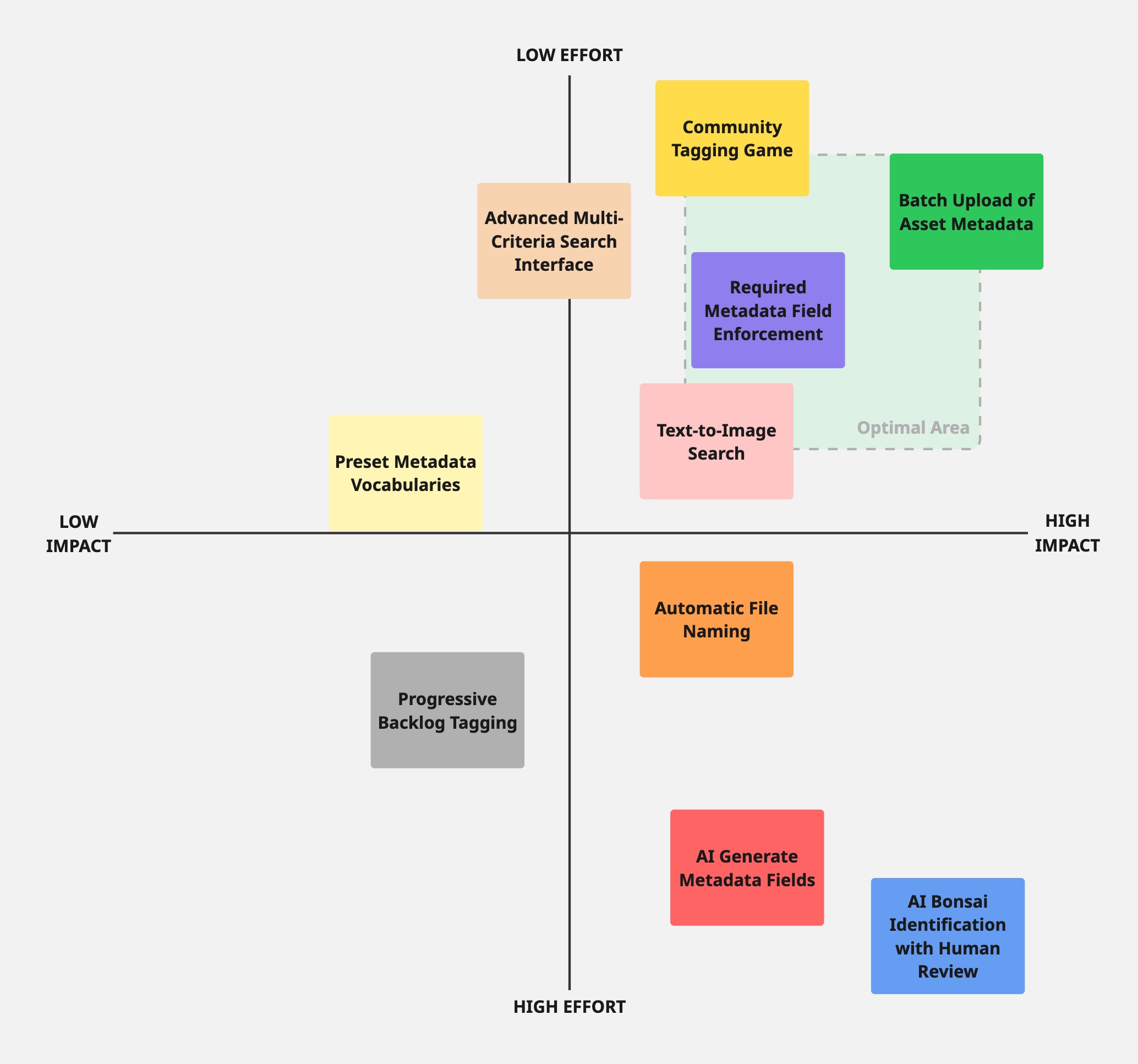
Our top 4 concepts addressed different aspects of efficient photo management.
⚡
Batch Upload of Asset Metadata
Apply shared information once for multiple photos, eliminating repetitive data entry
🔒
Required Metadata Field Enforcement
Block uploads without minimum metadata to prevent future backlog of unlabeled files
🎮
Community Tagging Game
Gamified volunteer system where docents identify traits in photos, helping build backlog metadata
💬
Text-to-Image Search
Natural language search enabling queries like "fall photos with visitors" instead of complex filter combinations
Following stakeholder approval, I took ownership of the Batch Upload of Asset Metadata feature as the highest-priority solution preventing future photo chaos. I leveraged my UX design experience to develop the complete workflow, from initial upload through asset tagging, while collaborating with my team on required field enforcement and AI integration.
This case study reflects Winter Quarter 2025 work (research, design, prototyping). Spring Quarter 2025 focuses on development, user testing with real Pacific Bonsai Museum photos, and final handoff with training materials. Full implementation expected by June 2025.

